ARENANOW / DOWNLOAD
YOUR NEXT
SPORTS EVENING IS WAITING.
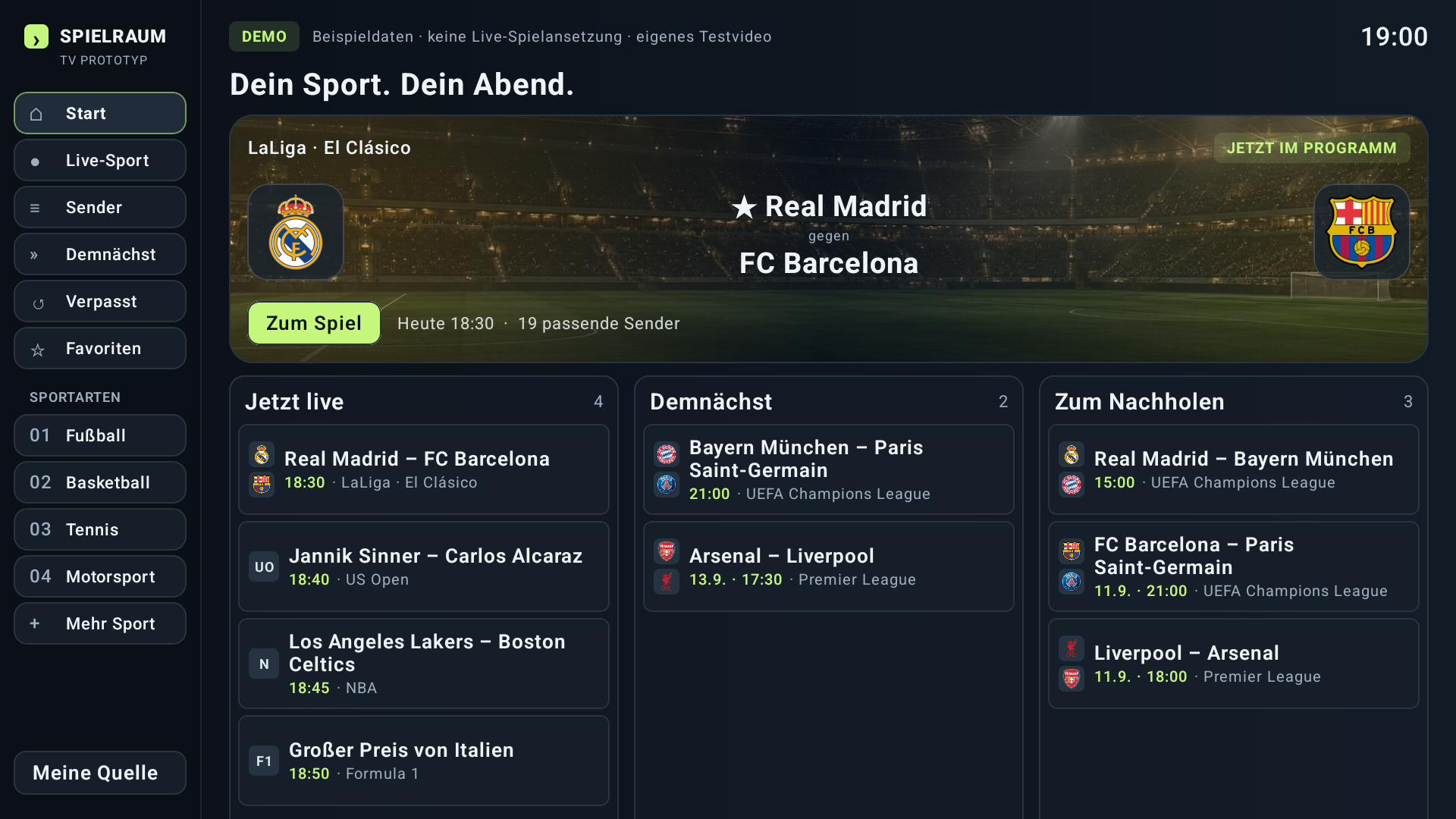
The app belongs on your TV.
Here you find the current state and the way to install it.
WE ARE GETTING READY
FOR KICK-OFF.
ArenaNow is being developed and tested on the TV right now. A public download version is not available yet.
As soon as there is public test access or a store version, you will find the direct installation link here.
Take a look at the appFROM THE SMALL TO THE BIG SCREEN.
THIS IS HOW THE APP
GETS ON YOUR TV.
On your phone or computer right now?
The installation happens on your
Android TV or Google TV device.
- 01
Check availability.
There is no public installation link yet. A published store or test access will be shown here as soon as it is available.
- 02
Install it on the TV.
With a published access you install the app on your compatible TV. The matching instructions will then be right next to the download.
- 03
Start the demo or connect a source.
Explore the fictional demo events or set up your own channel source. Real matching needs suitable sports data.
Open ArenaNow. Explore the demo or connect your Xtream access under “My source”. Test access to the sports data service is provided separately. Help with the setup is in Support.